

.jpg)
.jpeg)
.jpeg)
.jpg)
.jpg)


Follow us on
What is an AI site selection tool?
Most companies still open stores the same way they did fifteen years ago. A consultant spends three weeks pulling data from five different sources, builds a model in Excel, presents a deck, and you make a decision based on information that was already two months old the moment it reached you.
Gini is the answer to that problem. Built by MyTraffic, Gini is an AI tool for location intelligence and site selection, designed to compress that entire process into minutes. Not a simplified version of it. The full thing.
This article covers what Gini is, how it works, why the underlying data makes it different from everything else on the market, and who it is actually built for.
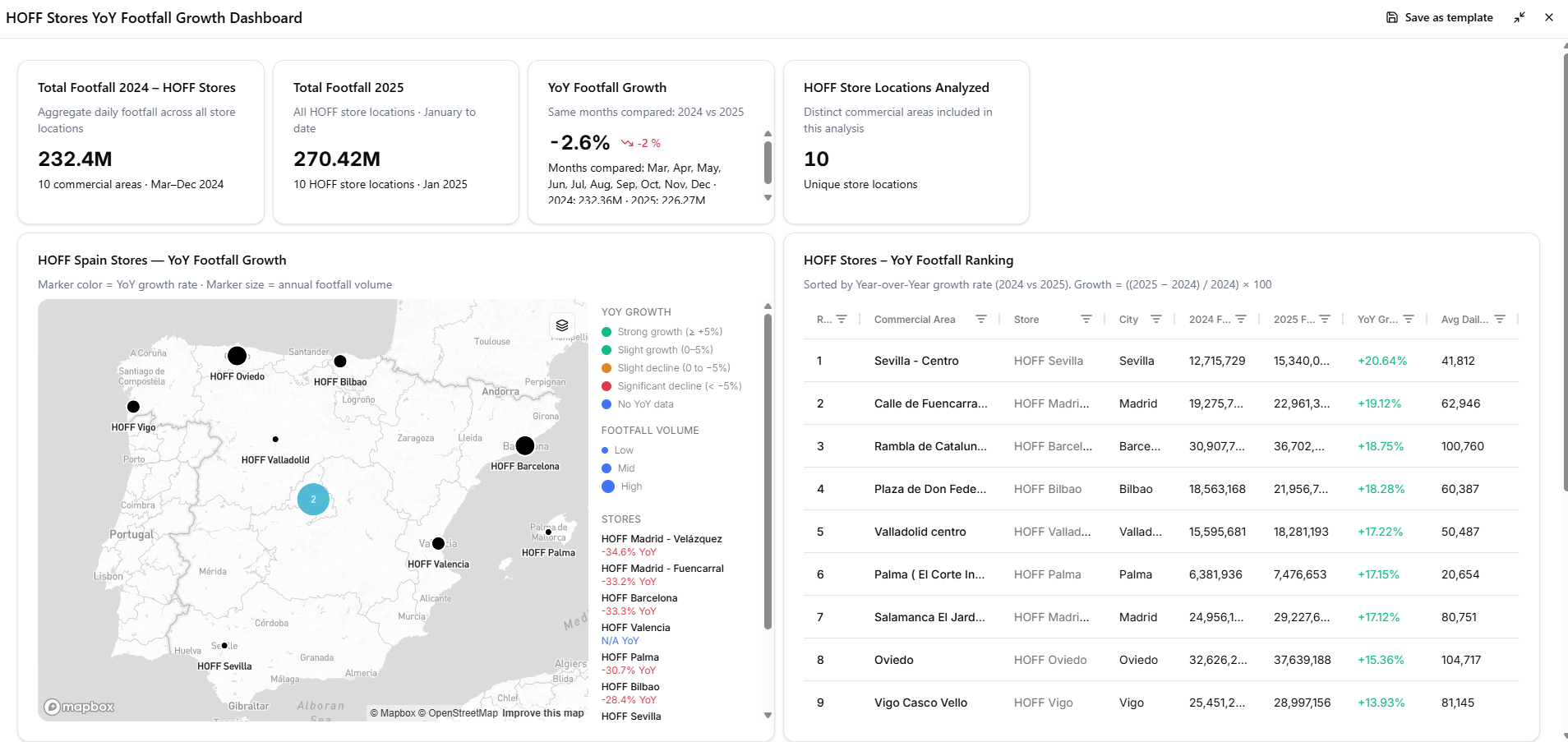
What is Gini?
Born from the combined expertise of MyTraffic and Geoblink, Gini is a conversational AI agent built on top of MyTraffic's proprietary location database. It connects your business questions to verified location data, runs structured analyses automatically, and produces outputs you can act on. It does not replace judgment. It sharpens it, and gives it back to you in minutes instead of weeks.
The critical distinction from a generic AI tool: Gini does not generate plausible-sounding answers from the open internet. Every output is grounded in MyTraffic's audited data. When Gini tells you a location sees 34,000 pedestrians per day on average, that number comes from real world signals, not from a language model's best guess.
Think of it as the analytical capacity of a senior location consultant, available on demand, connected directly to the best dataset in Europe.
How does the chat interface work?
You type a question in natural language. "What is the footfall profile of Rue de Rivoli on weekday afternoons?" "Compare these three candidate sites for a coffee concept." "Where are my top competitors opening in Germany this year?"
Gini processes the query, pulls from MyTraffic's database, and returns a structured, contextual answer, not a wall of raw data. You do not need to know SQL. You do not need to know which metric to look at. You need to know your business question, and Gini handles the rest.
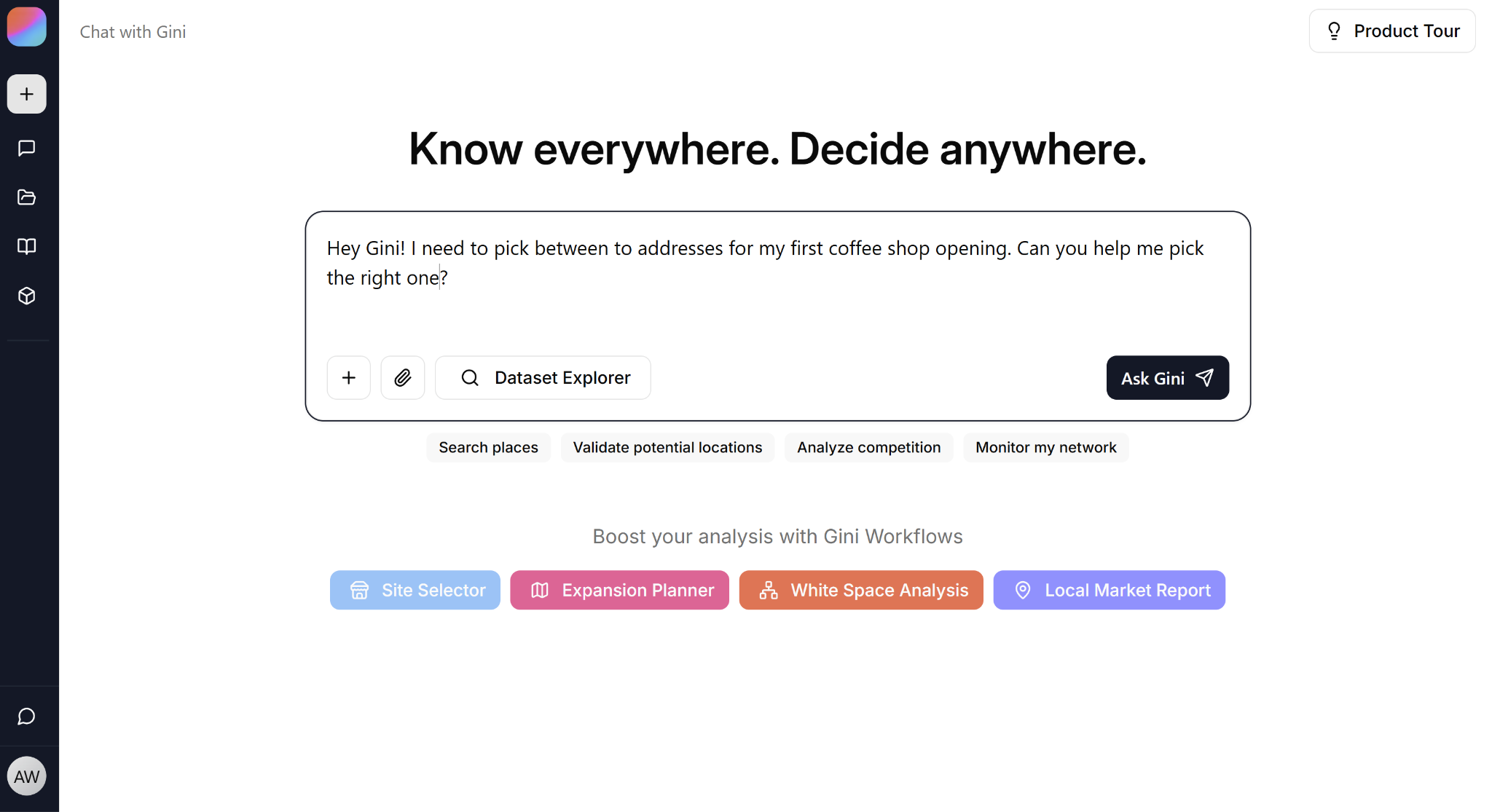
Gini's Explore Mode
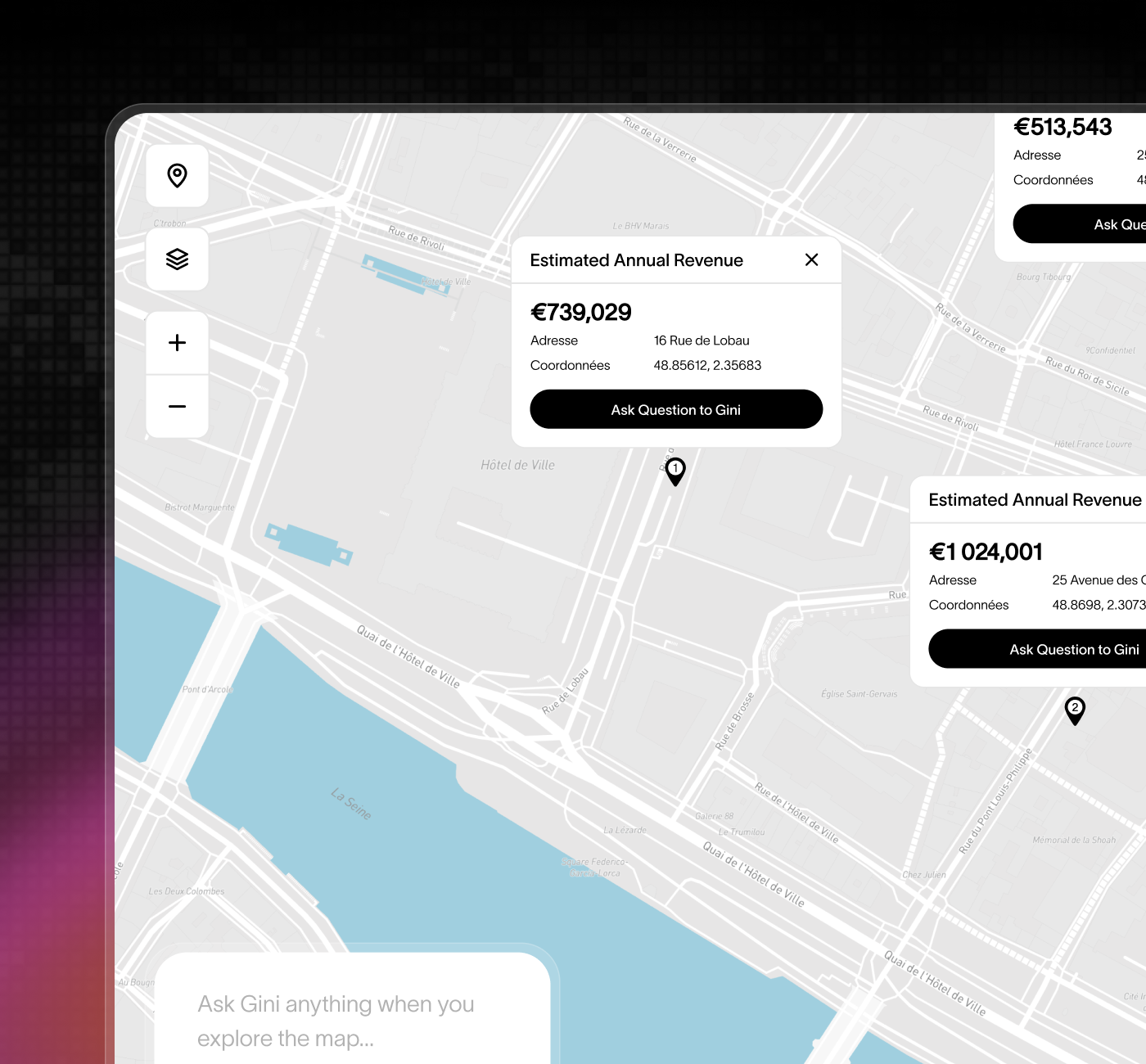
Explore Mode is Gini's visual interface: one interactive map that lets you scan an entire market, filter it live, and decide where to open next.
All the power of maps. All the intelligence of AI.
Planning an expansion used to mean stitching together five disconnected tools and losing the better part of a day to reach a single view of a market. Explore Mode replaces that with one map that talks back. You ask, you filter, and the answer shows up on the territory in front of you. For an expansion manager, that means you open the map and see where to look, what to filter, and what to decide, without waiting on an analyst to rebuild the view.
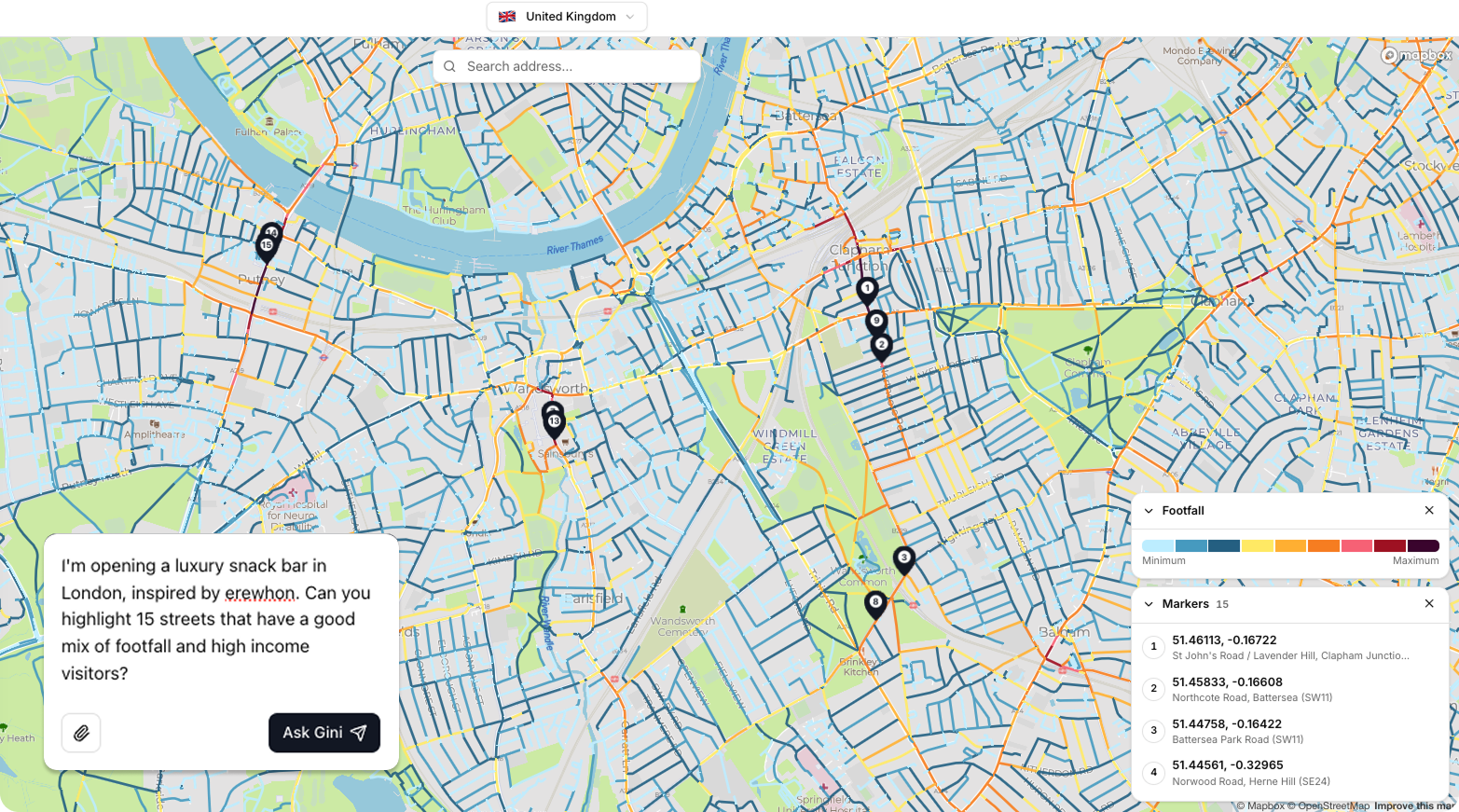
It also changes which sites make your shortlist. Because the whole market is visible at once, Explore Mode surfaces the catchment that beats your obvious pick and the street you would never have thought to check. The best location stops hiding behind the ones you already know.
What are Gini Skills, and why do they matter?
A Gini skill is a specialised analysis method that loads automatically when your question needs it. Ask whether an address suits a bakery and Gini loads Site Selector. Ask where your next local campaign should run and it loads Marketing Campaign Targeting. There is no mode to pick and no menu to open: you ask in the chat, and Gini brings in the right expertise.
Each skill holds the method an experienced location analyst would follow for that job: which data to pull, which metrics matter, what to compare against, and when the data is too thin to draw a conclusion. The analysis runs the same way every time, so two people on your team asking the same question get answers they can compare.
Skills also chain inside one conversation. Territory Planner ranks the zones worth opening in, Location Finder lists the premises available inside them, and Site Selector checks the address you like best. Your criteria carry over from one skill to the next, so nothing gets asked twice.
What used to take a ten-day consulting engagement now fits in a single chat, and you can share that chat with your team in one click. The skill library keeps growing. Here is what Gini can do today.
How do teams collaborate in Gini?
Location intelligence was not built for teams. It lived in siloed spreadsheets and outdated reports, passed around by email, interpreted differently by everyone who touched it. Most tools still work that way.
Gini breaks that pattern. Projects create shared environments where expansion directors, finance teams, network planners, and franchise operators all work from the same data, the same dashboards, and the same logic. Collaboration is not an afterthought in Gini. It is built into the architecture.
No more parallel spreadsheets. No more "which deck is the final one." One source of truth, shared across every stakeholder who needs it.
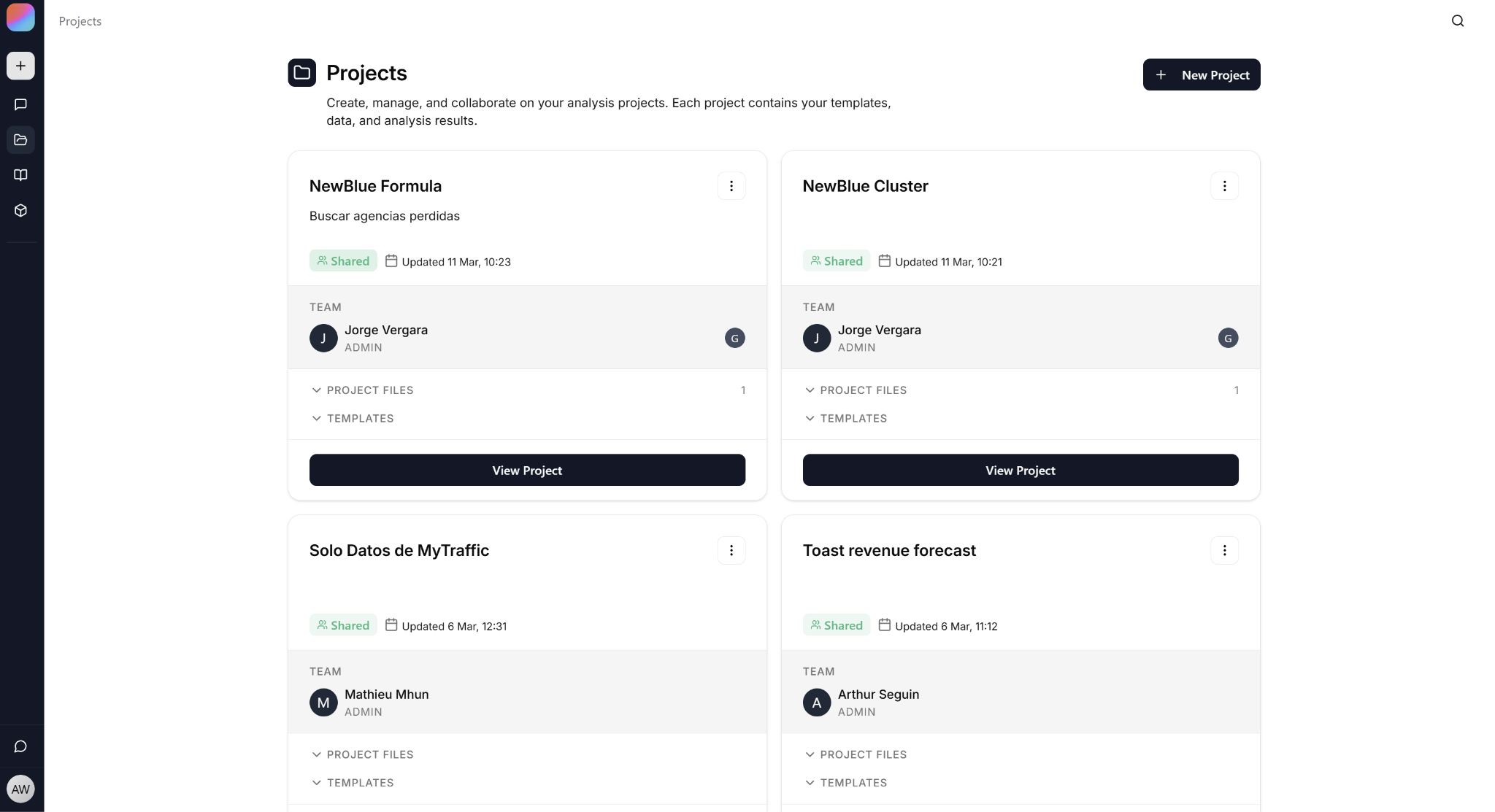
Every feature in Gini is built with collaboration in mind. Chats are shareable, so an insight you surface in a conversation can be sent directly to a colleague without any copy-pasting or reformatting. Projects let you organise analyses, and scenarios by team, region, or objective, keeping everything findable and in context. And for larger organisations, Gini supports full organisation management, so you can control access, align teams across departments, and ensure everyone is working from the same approved setup. It is not just a tool you use alone and report from. It is a platform your whole organisation can work inside.
Can I connect my own data?
Yes. Through the Vault, you can connect your internal data, store performance, sales history, customer demographics, portfolio status, directly into Gini. The platform then combines your proprietary signals with MyTraffic's data to produce intelligence that is specific to your business, not just the market.
The practical effect: when Gini evaluates a new site, it does not just benchmark against the market average. It benchmarks against your best-performing locations. The recommendations are calibrated to your business model, not a generic retail archetype.
A concrete use case: want to monitor how your stores are performing against market trends? Connect your store addresses to Gini, and you can compare your footfall trends against your competitors, without requiring a complicated setup. Only a sentence.
Revenue forecasting with Gini
Thanks to its latest update, Gini can now help anyone forecast revenue, among other insights, based on their historical network data.
Open the Forecast tab on the left and follow the instructions. After giving it some of your network data, it'll ask what you want to predict: revenue, revenue per square meter, how much staff you need to hire, how much inventory to hold, whatever metric your network actually runs on. It then trains a custom model on your own performance data, using the same methodology a location data science team would apply.
Once training is done, the model can be used from everywhere in Gini, from the chat to Explore Mode. Use it on any address and you'll get a figure, the reasons behind that figure, and the predicted error rate. If you disagree with the weights driving it, you can even tune them yourself!
Building one takes about three minutes. The same model from a consulting firm would take eight to twelve weeks to deliver.
Why use an AI site selection tool instead of traditional methods?
Traditional site selection software has three structural problems. First, speed: a thorough analysis takes weeks, which means decisions get made under time pressure with incomplete information, or they get delayed until opportunities close. Second, consistency: when different people in your team run analyses with different tools and assumptions, you end up with incomparable results. Third, coverage: most teams can only analyse the sites they already know about. The best location is often the one you never thought to look at.
Gini solves all three, because it starts from a different premise about what a place actually is. A store is not a pin on a map. A street is not a line on a screen. Every location has a DNA: a personality, a rhythm, an audience, and a role in its commercial ecosystem. Gini makes that DNA visible, and it does so across an entire territory at once, surfacing opportunities that would otherwise never appear on a shortlist.

What data does Gini use?
Gini runs on MyTraffic's proprietary database, the reference dataset for location intelligence across Europe. The data covers pedestrian and vehicle flows, visitor profiling by time of day and day of week, commercial environments, competition mapping, demand signals, and much more.
MyTraffic has been building this dataset since 2016. It is audited and verified, not scraped, not estimated, not purchased from a third party and resold. When location intelligence companies need a benchmark for European foot traffic data, MyTraffic is what they compare against.
For Gini users, this means one thing: the numbers you see are the numbers you can defend in a board meeting.
Which countries does Gini cover?
Gini is available in 14 European countries: France, Germany, the United Kingdom, Spain, Italy, Belgium, the Netherlands, Switzerland, Austria, Portugal, Denmark, Norway, Sweden, and Finland.
MyTraffic has spent nearly a decade building its data infrastructure market by market, prioritising depth over breadth. The result is a dataset that covers the locations where most European retail, food and beverage, and real estate decisions actually happen, rather than a thin layer spread across every country on the continent.
If your expansion is concentrated in a single market, Gini gives you granular, street-level intelligence for that market. If you operate across several of these countries, you can run cross-border analyses from a single platform, with consistent methodology and comparable outputs across every territory.
How can I trust the outputs?
Every Gini output includes its sources, its assumptions, and its confidence level. You are never looking at a black box recommendation. You can see what data informed it, what logic was applied, and where the uncertainty lies.
This matters specifically for AI tools, where the temptation is to present answers with false confidence. Gini does not do that. A site that looks good but has thin data coverage will be flagged as such. A recommendation with strong signal will be presented as such. The goal is better decisions, not impressive-looking outputs.
One more thing worth knowing: Gini is model-agnostic by design. It routes each task to the best intelligence available, whether that means reasoning, spatial analysis, or synthesis, without locking you into a single AI model. No single point of failure. Just the best tool for the job, every time.
What about data security and GDPR?
Gini is built on enterprise-grade, siloed infrastructure. Your internal data, the sales figures, the customer demographics, the portfolio details you connect through the Vault, never touches another client's environment. It is not used to train models. It does not leave your silo.
MyTraffic takes a pragmatic, documented, and risk-proportionate approach to security, built specifically for a B2B activity centred on aggregated data analysis and AI-assisted decision-making. GDPR compliance here is not a policy added after the fact to satisfy a legal requirement. It is a technical architecture decision, audit-ready and aligned with what MyTraffic already does in practice.
Who is Gini built for?
Another way Gini is different from most location intelligence tools, and it matters. Traditional platforms are priced and built for large enterprise teams with dedicated analysts. Gini is not. With a low starting price point and a free trial available, it is designed to be accessible to anyone who needs to make physical location decisions, a coffee shop owner scouting a second site, a franchisee evaluating a new territory, or a multinational planning a continental expansion. The tool scales.
In practice, Gini is used by:
- Retail and F&B expansion teams evaluating new locations or optimising existing networks
- Real estate professionals assessing commercial viability of sites for tenants or investors
- Grocery and convenience operators managing dense, performance-sensitive location portfolios
- EV charging network planners identifying high-demand corridors and underserved zones
- Franchise operators aligning on territory strategy with their franchisees
- Independent business owners making their first location decision
- Retail marketing teams choosing where to run local campaigns, and checking afterwards whether those campaigns moved store visits
The common thread is not industry, it is the problem. Too much time getting to an answer, not enough time acting on it.
Gini is currently trusted by more than 600 European brands, including Spar, KFC, Carrefour, GrandVision, Cushman & Wakefield, and Unibail-Rodamco-Westfield.
How does Gini compare to legacy GIS and location analytics tools?
Legacy tools, traditional GIS platforms, static mapping software, bespoke consulting datasets, were not designed for the pace of modern expansion. They require technical specialists to operate. They produce outputs that need to be interpreted before they can be used. They cannot easily incorporate your internal data alongside market data. And they are expensive to scale, because every new analysis is essentially a new project.
Gini is designed differently. The interface is conversational, not technical. The outputs are decision-ready, not raw. The skills are reusable, not bespoke. And because Gini connects directly to MyTraffic's live database, the data is always current, not a snapshot from six months ago.
The honest comparison: if your team currently spends four to six weeks on a site selection project, Gini does not make that process faster. It replaces it with a different process that takes seven minutes and produces an equally defensible output.
Discover Gini's Behind the Scenes episodes
Are you curious about how innovation is born?
The Gini BTS series takes you inside the production choices and product decisions behind the tool, explained by the people who make them.
Most companies keep that part hidden. We think showing it makes the product easier to trust. You have already seen that every Gini output comes with its sources and its confidence level. This series applies the same principle to the company itself: you see the reasoning, not just the result.
Discover why we built Gini in the following episode :
You can also learn why we chose to build a product from the ground up rather than just adding an AI tool to our existing platforms here:
And if you want to discover how the launch went, you can view it here:
Want to know who makes these calls day to day? Meet the team behind Gini at MyTraffic.
TL;DR
The fastest way to understand what Gini does is to use it. Start with a free trial and run your first analysis on a location you already know well. See whether the data matches your intuition, where it challenges it, and what it surfaces that you did not expect.
No analyst required. No consultant needed. Just your business question and an assistant built to answer it.
Start your free trial at https://gini.myt.ai/sign-up